How to make a flowchart with AI (2026 guide)
Flowcharts are one of the clearest ways to explain a process, but building them by hand is slow. You drag boxes, align them, draw arrows, and then redo half of it when something changes. In 2026 you do not have to. AI can turn a plain-language description into a real, editable diagram in seconds. Here is how, step by step.
You only need a browser. We will use Cairn, which is free to start and needs no account.
Step 1: Describe your process in plain words
Open Cairn, click the AI button, and type what happens, in order. Write it like you would explain it to a colleague. For example:
Step 2: Let AI draw it
Cairn reads your description and lays out the nodes, decisions and arrows for you, with connectors that route around the shapes instead of crossing them. You get a real, editable diagram, not a flat picture.
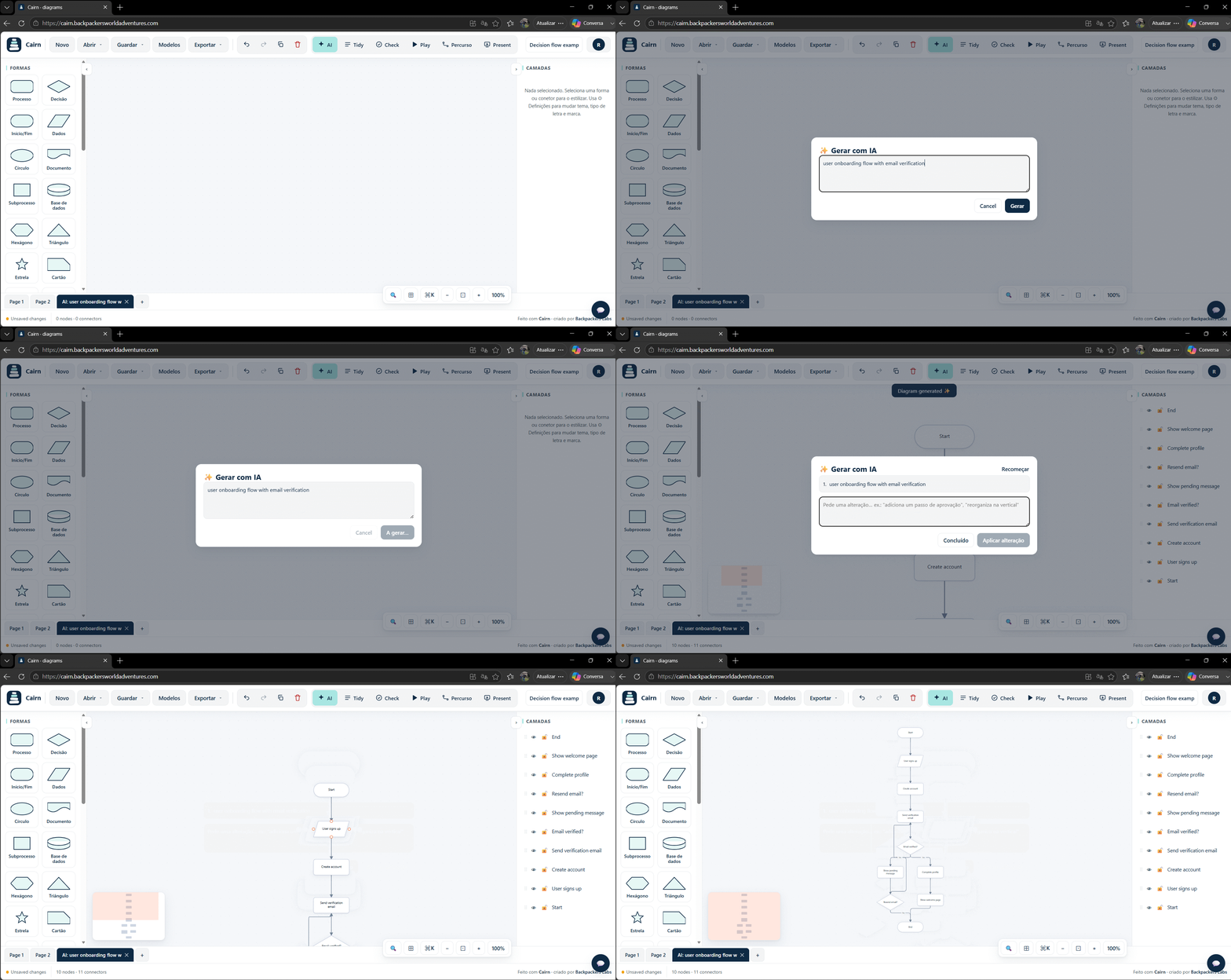
Step 3: Refine it
You never start over to make a change. Ask the AI to adjust it ("add a payment step before the dashboard"), or edit directly: drag boxes, rename them, restyle, and use Tidy to auto-arrange the whole thing. The diagram stays yours to shape.
Step 4: Or start from a template
If you would rather begin from a proven shape, Cairn ships with more than 100 templates: process flows, swimlanes, org charts, incident response, sales pipelines and more, including large cross-functional systems. Pick one and edit.
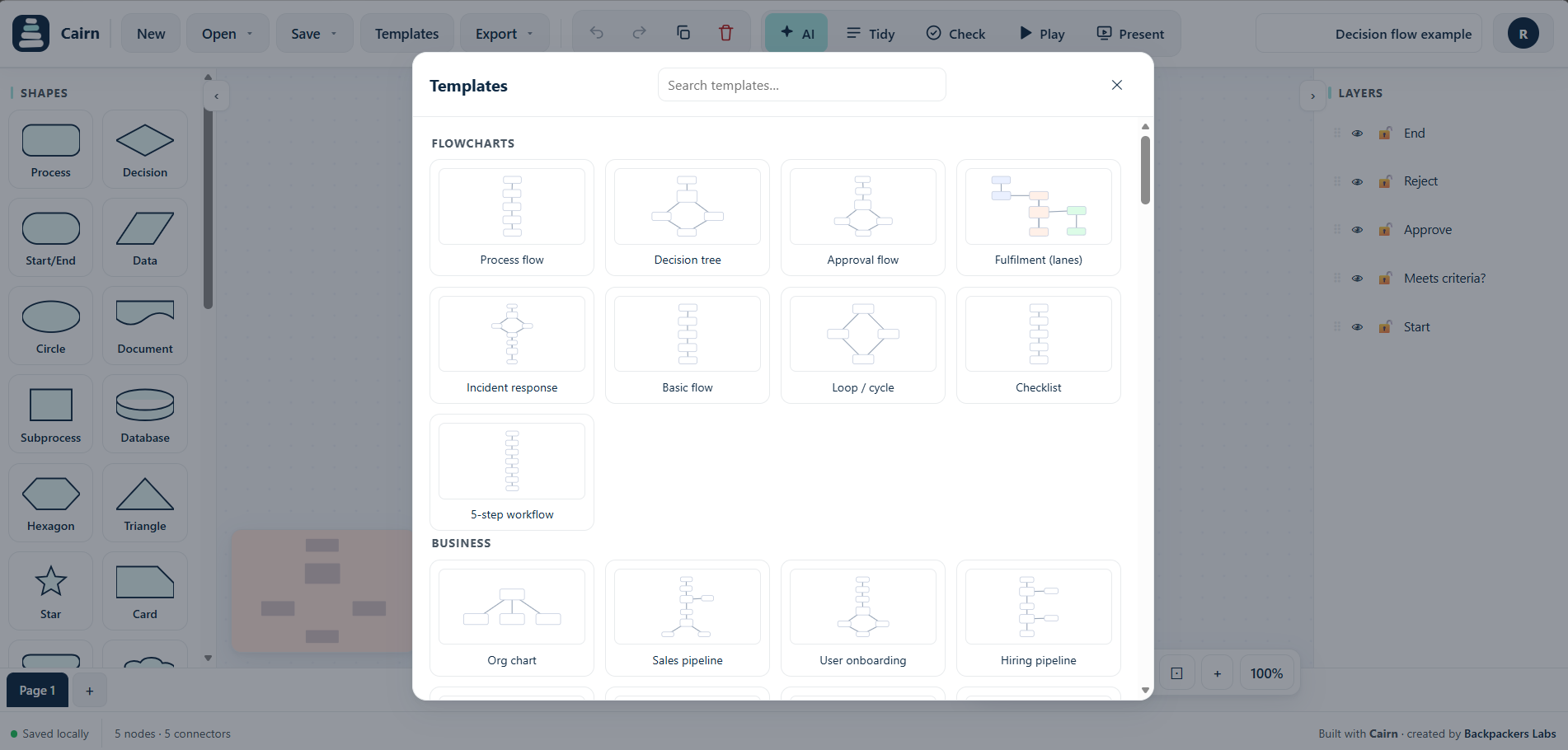
Step 5: Export or share
Export to PNG, SVG, PDF or Mermaid, or share a read-only link with a colleague. Your work stays in your browser by default, so it is private and portable.
Tips for good AI prompts
- Write the steps in order, as a sentence or a short list.
- Name the decision points clearly ("if approved... otherwise...").
- Say who does what if you want lanes ("sales does X, then finance does Y").
- Keep one diagram to one process. Make a second diagram for sub-processes.
Make your first AI flowchart now
Cairn opens in your browser, free, no account needed. Describe a flow and watch it take shape.
Try Cairn free Compare Visio alternativesRelated: AI flowchart maker, how to make a flowchart, diagram generator, Visio alternative.